Zervys Book a demo

Zervys for restaurants

Your menu. Your service. Your guests.

Today’s menu and specials on every table, a call button that brings your staff over, and a clear view of what your guests look at. All on the tablets and TVs you already have.

  • Nothing to install
  • No app for your guests
  • Changes in under a second
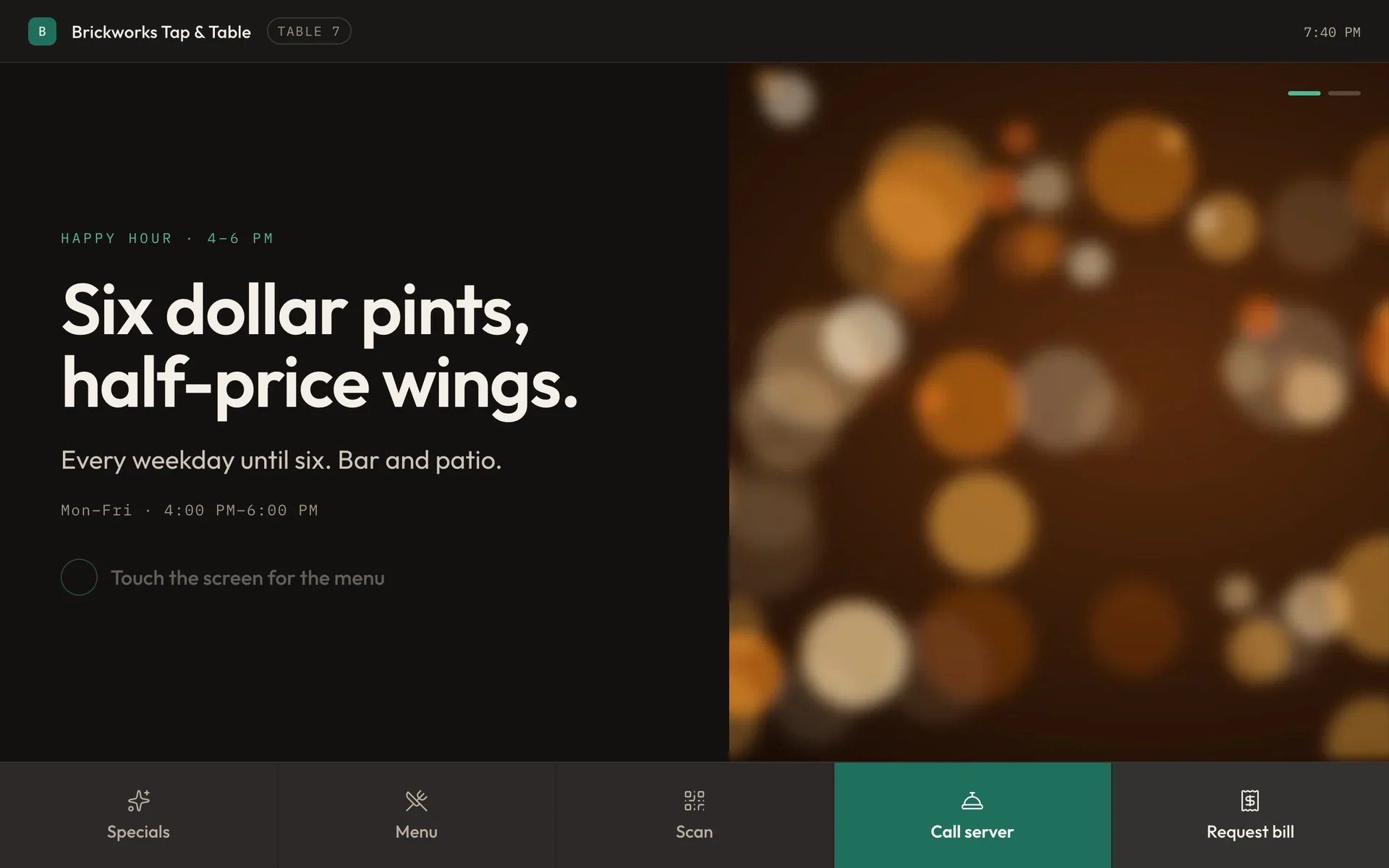
A Zervys table screen at Table 7, showing the happy hour special, with buttons for Specials, Menu, Scan, Call server and Request bill.
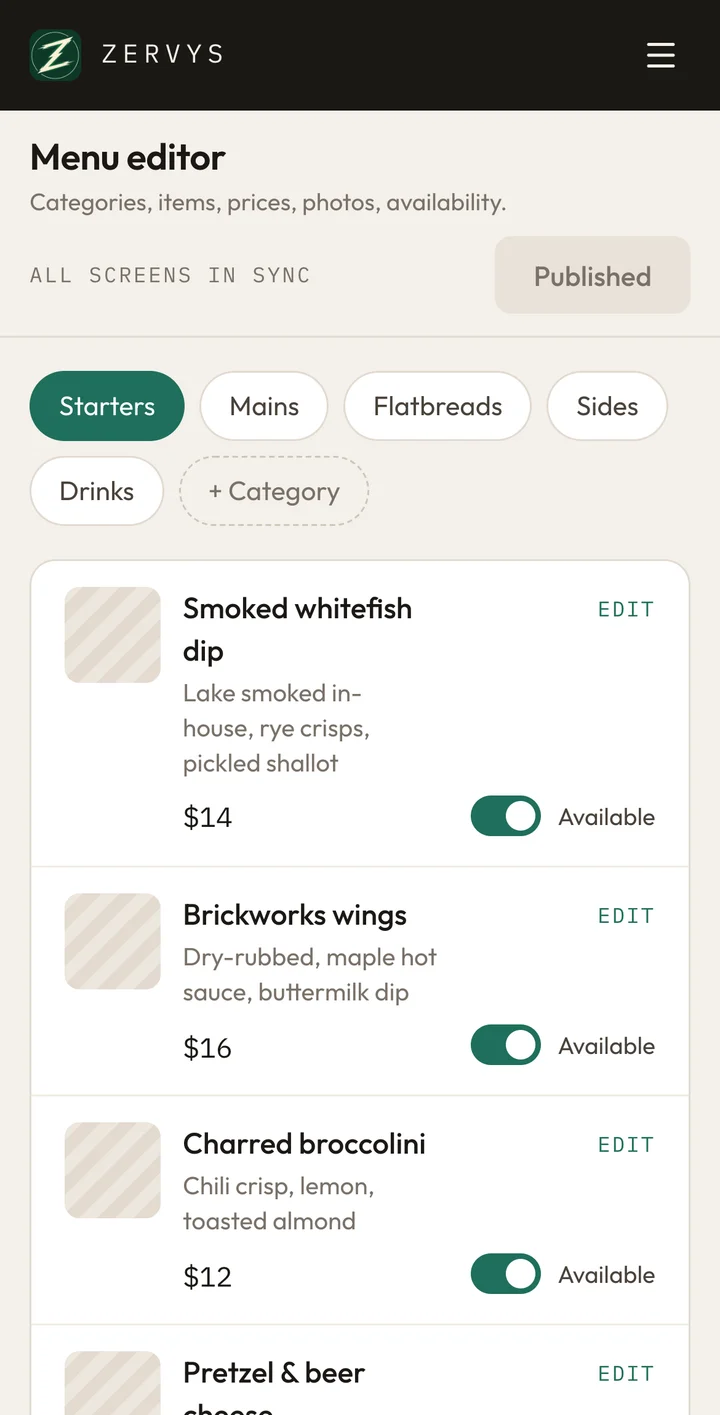
The Zervys dashboard on a phone: the menu editor, with each dish, its price and an Available switch.

Bring your own screens

Start with the screens you already have.

Zervys runs in a web browser, so the tablets, TVs, phones and computers you already own can all run it. There’s nothing to wire and no visit from IT: open an address, and that device is one of your screens.

Control

Change it once. Every table has it.

Mark a dish as sold out, pick tonight’s special or try one of your own photos, then press publish and watch the table.

Your phone

Tonight’s special
Photo

Your photo stays in this browser. Nothing is uploaded.

Menu
  • Brickworks wings$16
  • Smoked whitefish dip$14
  • Pretzel & beer cheese$13
All tables up to date

Every table

BBrickworks Tap & Table Table 7

Happy hour · 4–6 PM

Six dollar pints, half-price wings.

Every weekday until six. Bar and patio.

  • Brickworks wings$16
  • Smoked whitefish dip$14
  • Pretzel & beer cheese$13


Run it from anywhere

Make changes from your phone on the floor or a computer in the office, and set them up ahead of time so they happen on their own.

  • Specials that start and stop on a schedule
  • Breakfast that comes off the menu at eleven, by itself
  • Your logo and colours on every screen
  • A different menu on each TV, if you like
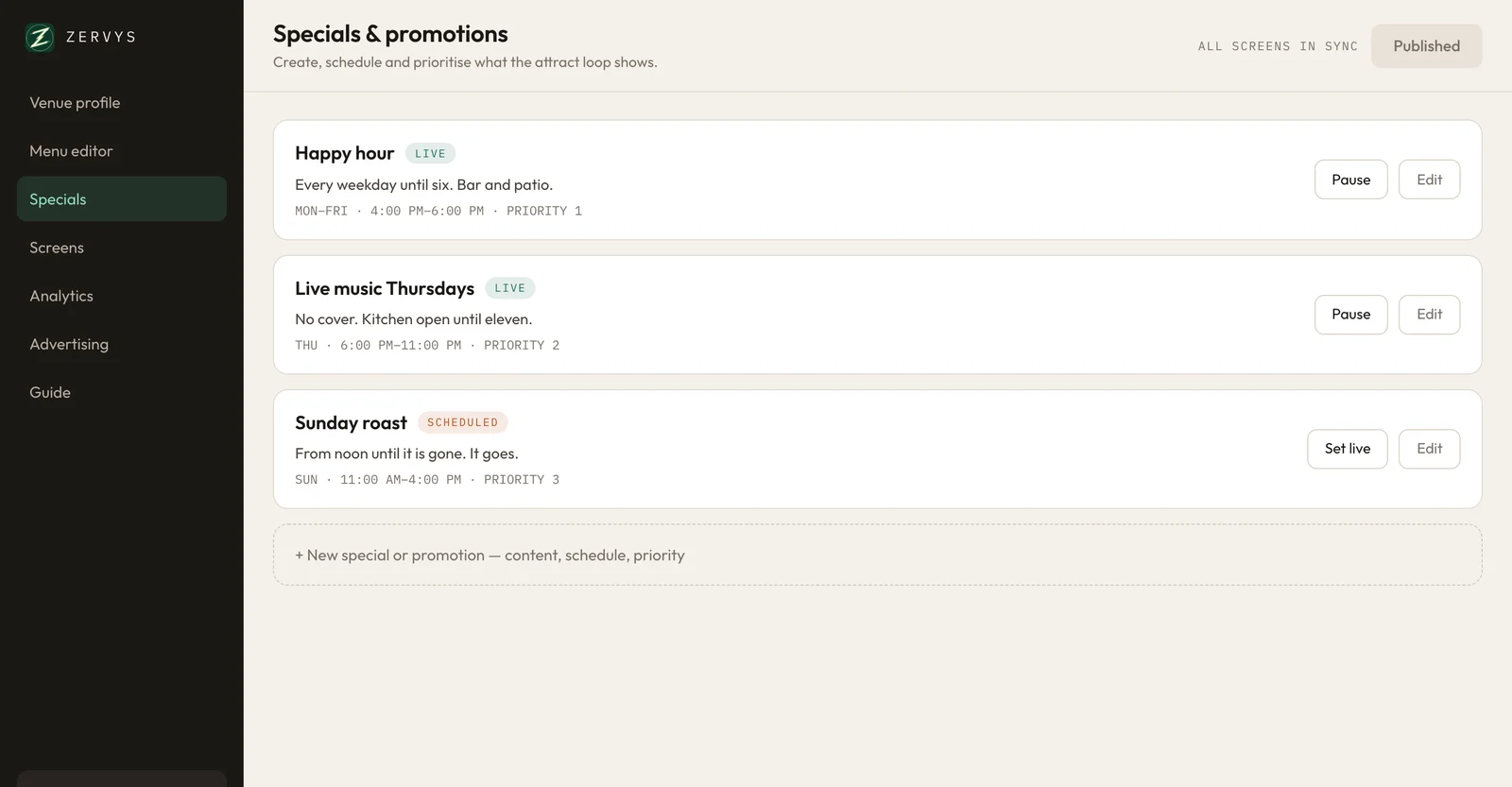
The Zervys dashboard on a computer, listing three specials with their schedules.

Service

Help is one tap away.

Guests call a server or ask for the bill right from the table, and your staff know straight away. Less waiting for guests, and fewer laps of the room for staff.

At the table

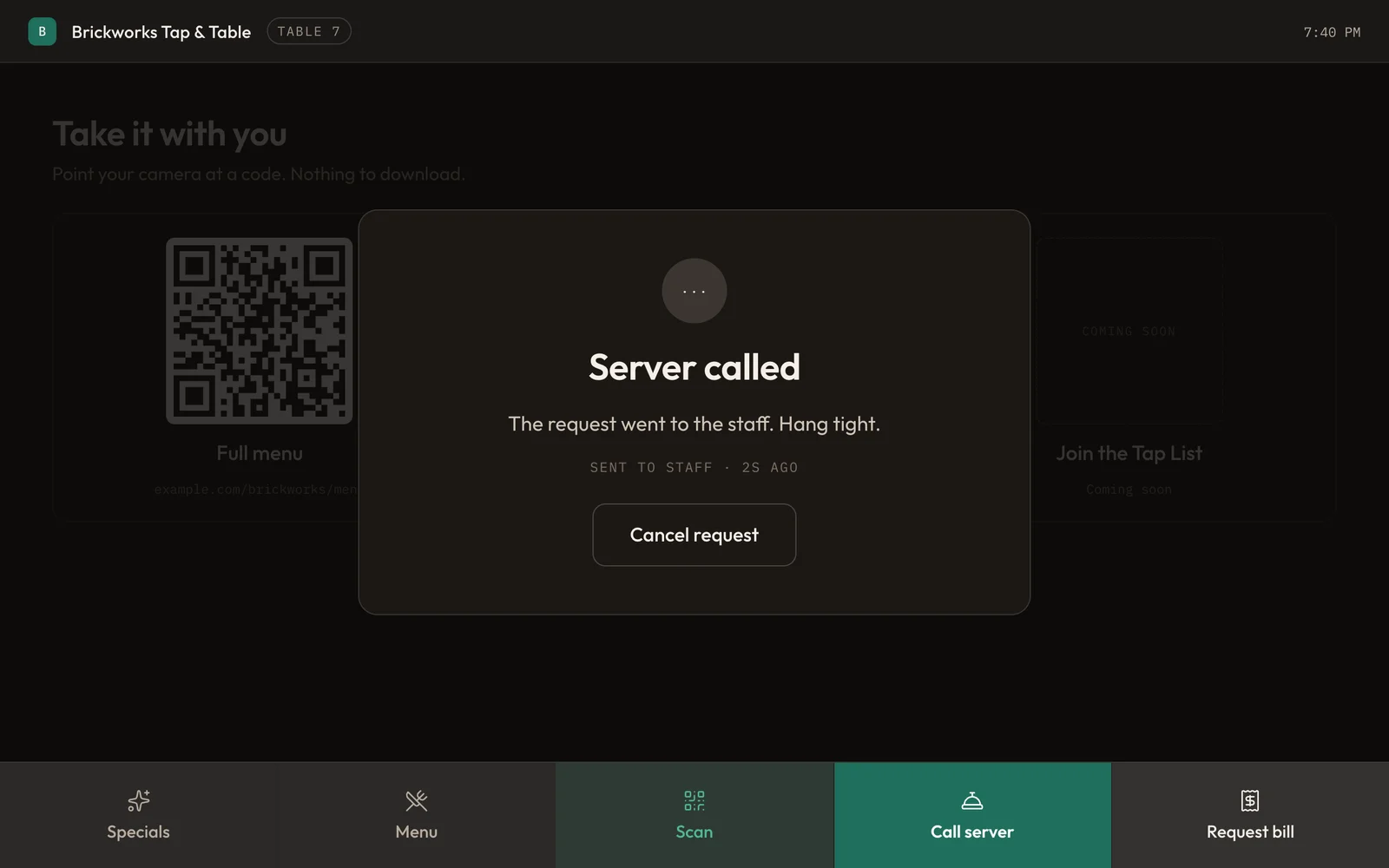
The screen confirms the call’s gone through, so nobody’s left waving at the room or wondering if anyone saw.

A table screen saying Server called: the request went to the staff.

With your staff

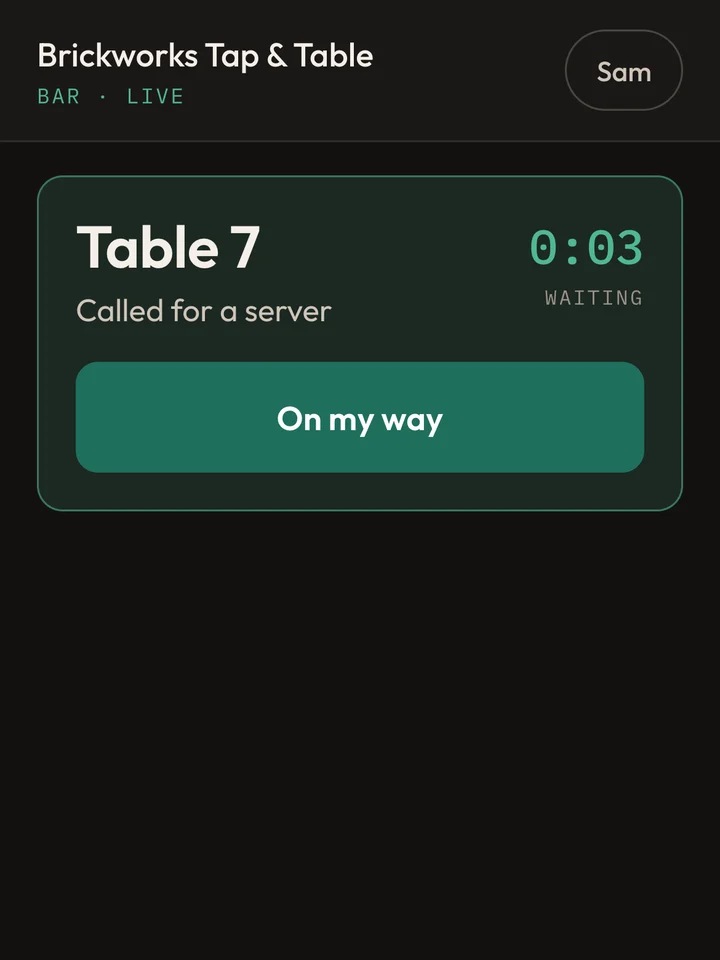
Every call shows up on the staff screen the moment a guest taps. One tap tells the table someone’s on the way.

The staff screen on a phone: Table 7 called for a server three seconds ago, with an On my way button.

Engagement

Make more of every visit.

The screen is the first thing guests see when they sit down. Put your best dishes and specials in front of them, give them a reason to come back, and see what catches their eye.

A reason to come back

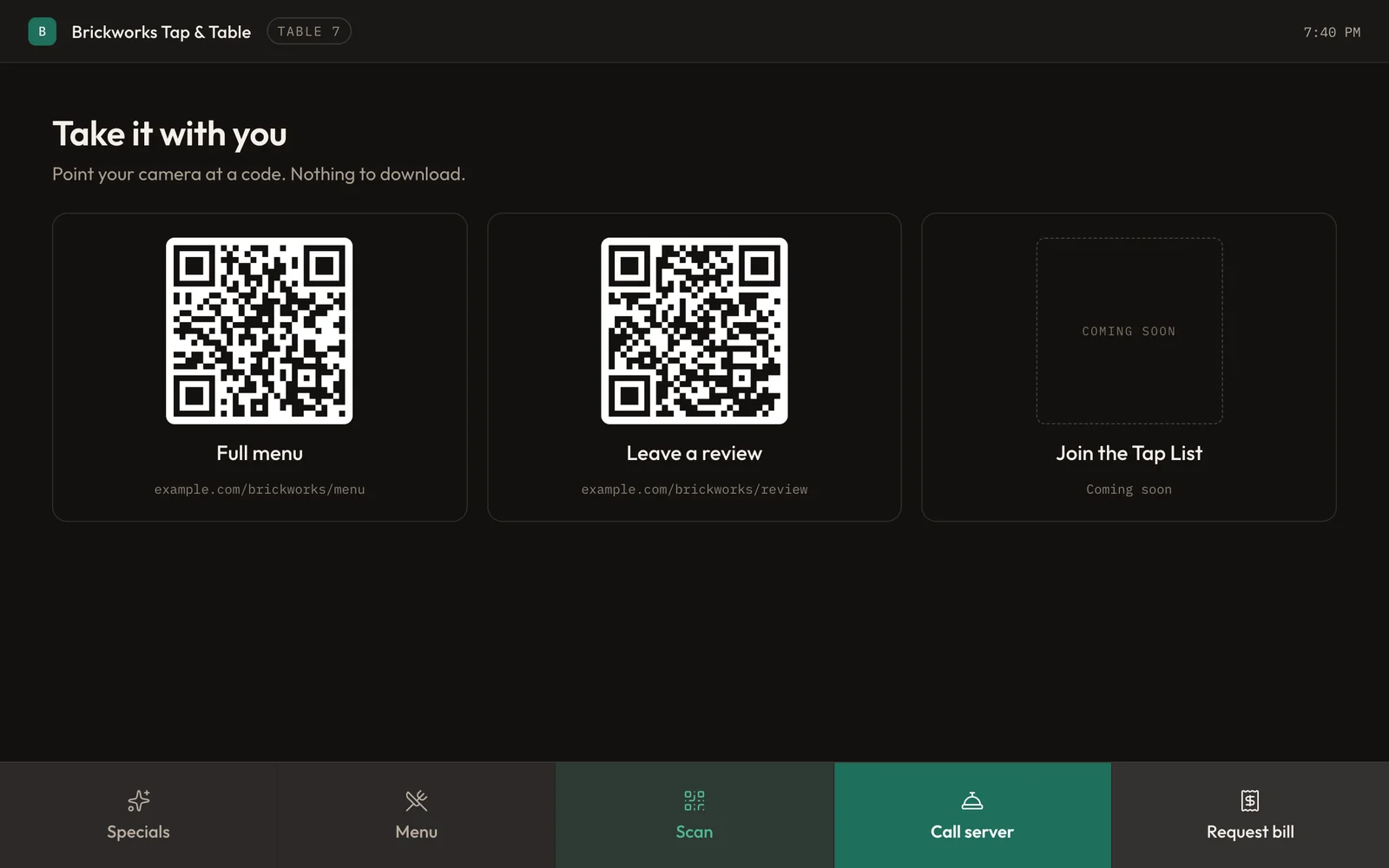
Guests scan a code to leave a review, join your list or take your full menu with them. There’s nothing to download.

A table screen showing QR codes for the full menu and for leaving a review.

See what catches their eye

Zervys counts what guests tap: how often they open your menu and your specials, when they call for service, and which screens get used, day by day.

No names, no sign-ins, nothing personal. Just what was tapped, and when.

Specials they can’t miss

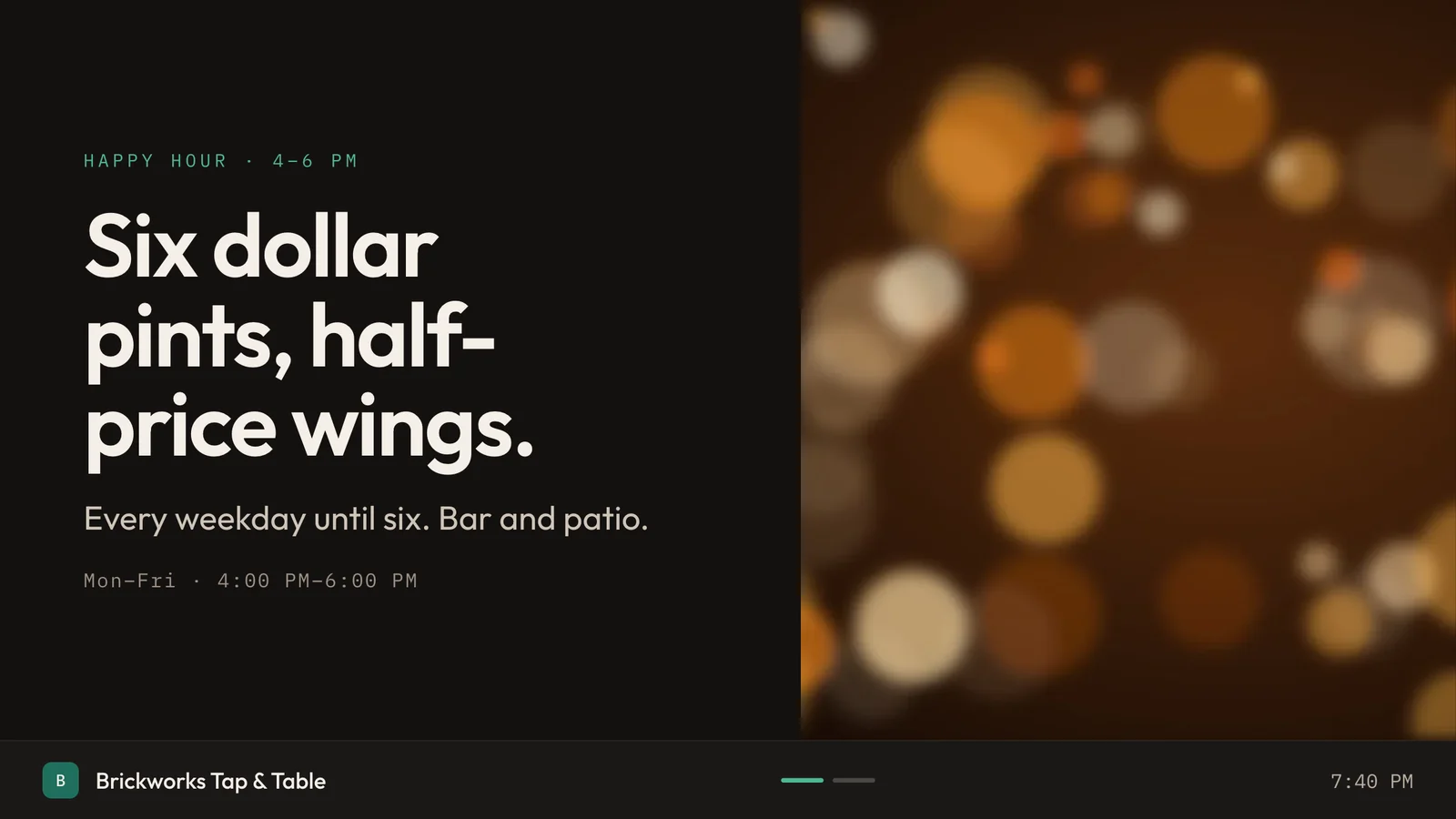
Any TV can loop your specials, and it changes the moment your tables do. Put tonight’s feature in front of the whole room.

A TV showing the happy hour special: six dollar pints, half-price wings.

How it works

Three steps, and the third one’s a button.

  1. We set it up with you

    Book a demo and we’ll get you going: screens at your tables, one for your staff, and a TV if you want one.

  2. Add your menu

    Dishes, prices, photos and specials, from your phone or a computer. Take your time: nothing shows until you publish.

  3. Press publish

    Every screen in the room changes in under a second. Do it as often as the kitchen changes its mind.

What you get

  • Your menu, specials and photos on every table
  • Specials that start and stop on a schedule
  • Menu boards and a loop of specials for your TVs
  • QR codes for reviews, your list and your full menu
  • A staff screen for calls from tables
  • Numbers on what your guests look at
  • Your logo and colours on every screen
  • A built-in guide, and help from us whenever you’re stuck

Questions

What owners ask first.

Do I need to buy new screens?

Probably not. Zervys runs in a web browser, so any tablet, TV, phone or computer with one can be a screen. Most restaurants start with what they already have, and if you need more, we’ll help you choose.

Can guests order or pay on it?

No. Zervys shows your menu and specials and brings your staff to the table. Orders and payment stay with your servers and your till, the way they are now.

What if the Wi-Fi or internet goes down?

Your screens keep showing the last menu they had and catch up on their own once you’re back online. Calling a server does need the connection, so if your internet’s unreliable, we can run Zervys from a small box in your restaurant instead. Then everything keeps working when the internet doesn’t.

How do I change the menu?

Sign in on your phone or a computer, make your changes and press publish. Nothing reaches a table until you do, so a half-finished edit never shows.

Do my guests need an app?

No. The screen’s already at the table, and the QR codes open with a phone’s camera.

What do you collect about my guests?

Only what’s tapped and when: which parts of the menu and which specials were opened, and when someone called for service. There’s no sign-in and nothing to type at the table, so no names, emails or payment details are ever collected.

Book a demo

Want it on your tables?

We’re setting up our first restaurants in Durham Region now. Tell us a little about yours, and we’ll show you what Zervys can do for it.

  1. Fill in the form. It takes a minute.
  2. We’ll email you to find a time that suits.
  3. We show you Zervys on a video call, with time for your questions.

We’ll only use this to get in touch about your demo.

Thanks. We’ll be in touch.

We’ve got your details, and we’ll email you soon to find a time for your demo.

That didn’t go through.

Go back to the form and try again in a minute.